
For event organizers
People move when they can see who else is going.
An announcement only reaches the people it reaches. On i’m in, going is visible to your friends, and your friends’ plans are laid out where you can see them. The way events fill is built into the product.
Friends’ plans are visibleOne person going is an announcement to all of their friends.
Paid out before the eventPayouts run 7-day rolling, and qualified invoices are issued automatically.
It keeps going as a communityNot one-off events — the next one costs less to fill.
01Why people come
Why people show up
This is the one thing i’m in does differently. It lays out people’s plans, not a list of events.

Going is the announcement
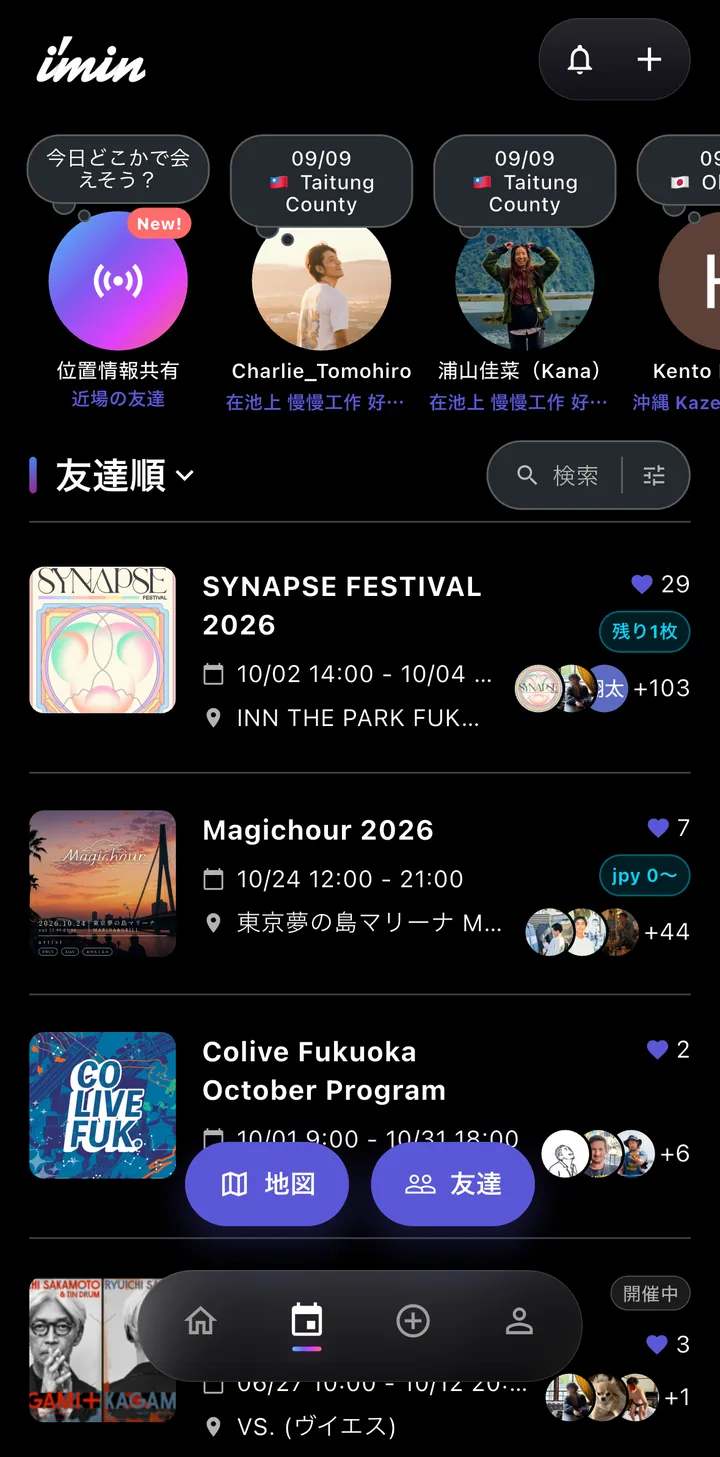
When someone says they are in, their friends see it. Your reach is not capped by your own following — it travels out through the friends of everyone who joins.

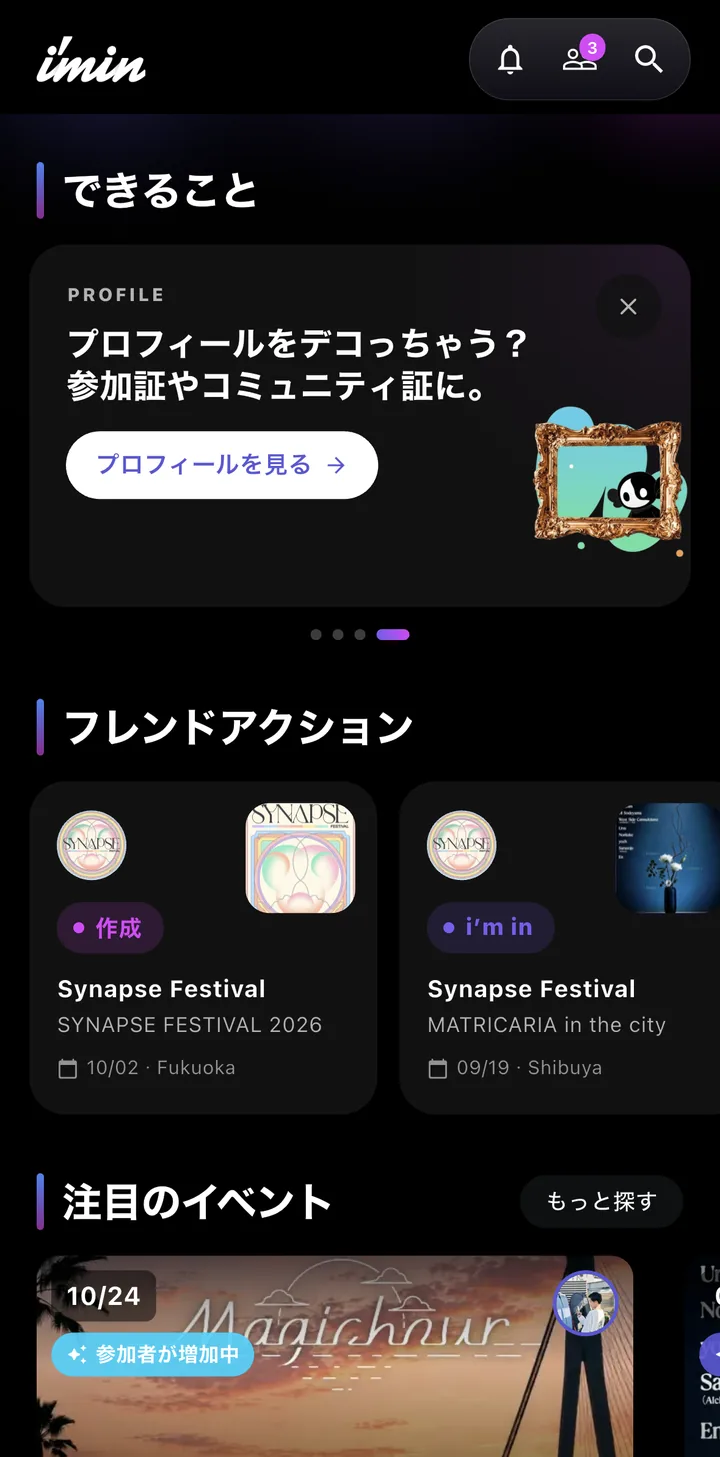
Your friends’ plans, in one list
The home screen shows what friends are going to. It reaches people who were not out looking for an event, because it arrives as a friend’s plan.

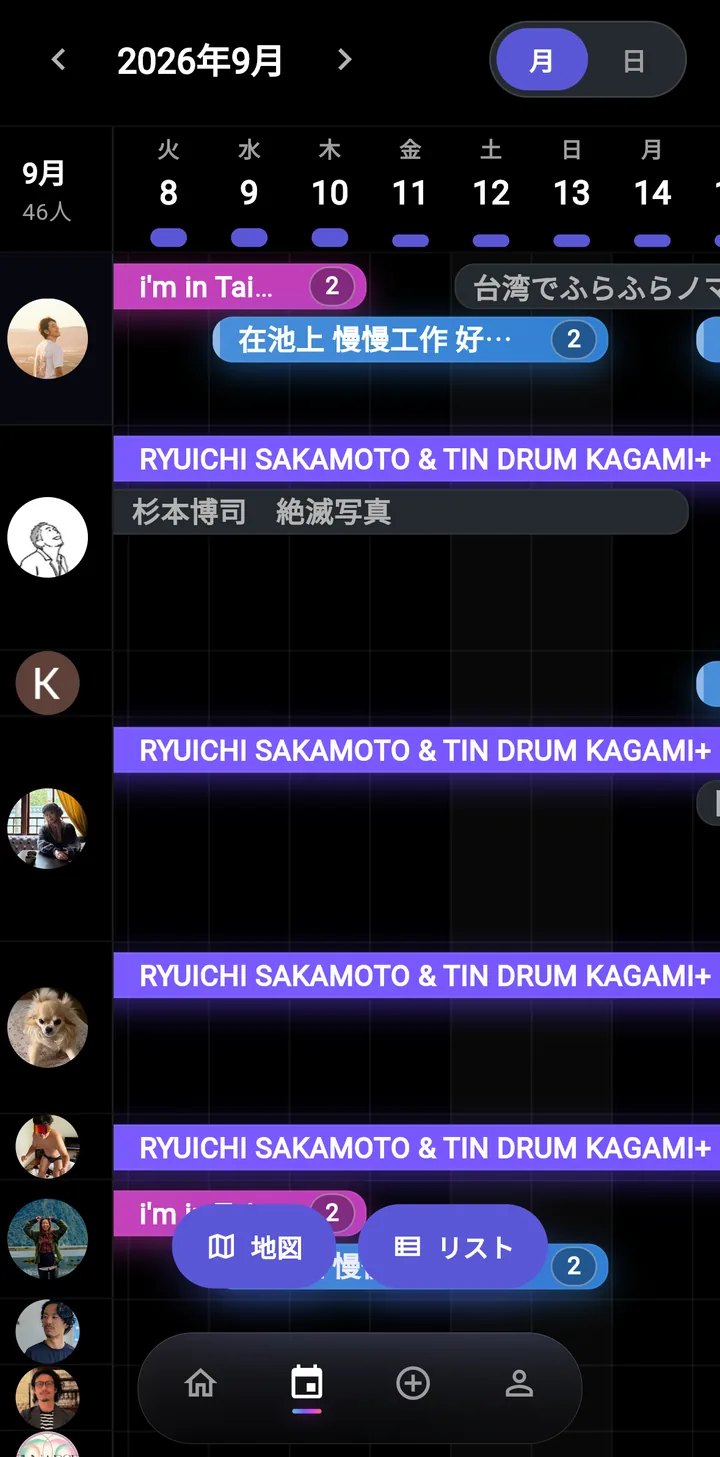
The friend calendar shows where plans overlap
Friends run down the left, dates and hours across the top. Overlapping plans are obvious at a glance, so "we could actually meet that day" is what decides it. Switch between month and day; the order of friends is saved.
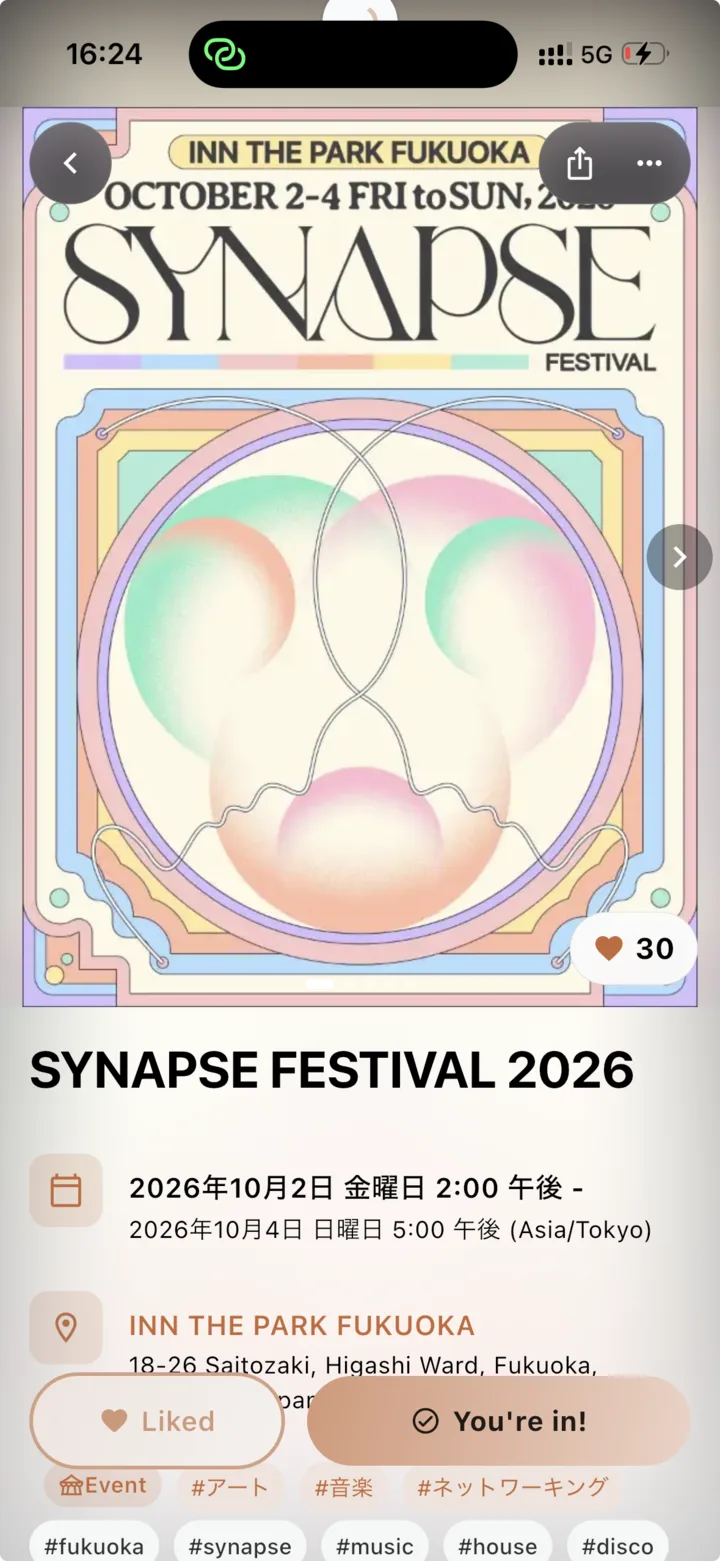
This is what an attendee sees
The flyer runs large, the date and place carry icons, and the join button stays pinned to the bottom of the screen. Tags lead on to other events in the same scene.
More than one flyer
They swipe as cards, so a timetable or a floor plan can sit beside the poster.
No login to look
The public page goes straight onto social. A login is only needed to join or to buy.
How far an announcement travels
Going visible carries it one hop further
Announcement onlyAs far as people who know you
On i’m inOn to their friends
What decides it is not only what the event is. It is who is going.
02Community
It keeps going
Communities turn one-off events into a place that continues. The next event costs less to fill.
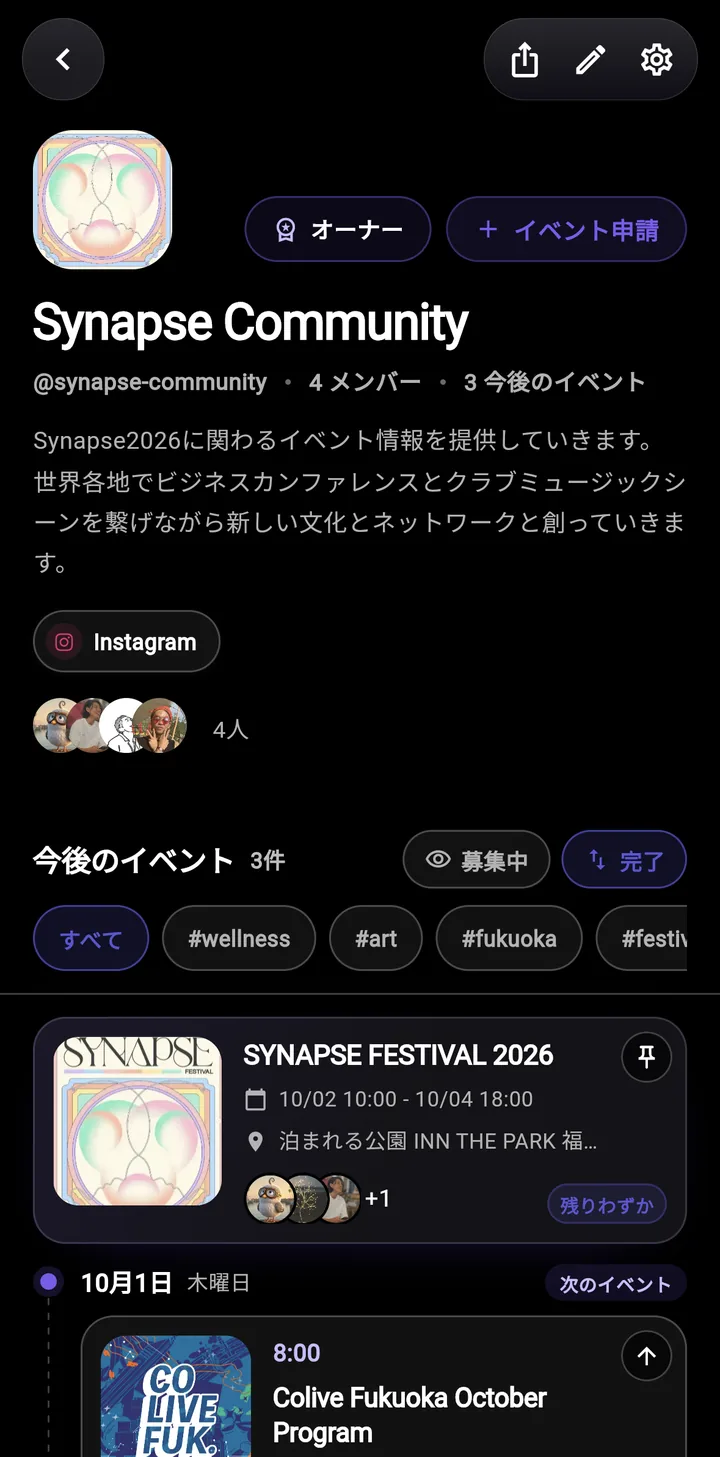

One public page, in the organisation’s name
You get a public page on an @ URL. Share it and people see both the upcoming events and the past ones. Tags narrow it down, and an event you want noticed can be pinned to the top.

Run it with other people
Add operators and run it together. They can approve requests to join, and you can create events only community members can attend.
Other hosts’ events can sit there too
You can accept submissions from outside hosts, gathering events you are not running yourself and acting as the hub for that scene.

It survives a change of staff
Payments and receipts are set per community, so nothing is tied to one person’s name or bank account. An event’s host can be handed to another member.
One URL is enough
Only one thing left to share
Share the URL and people see all of it at once.
@your-communityVisibilityChoose between public and unlisted. Both internal and invitation-only setups work.
03Money
How the money moves
More often than the rate itself, this comes down to when it lands and whether finance can take it as it is.
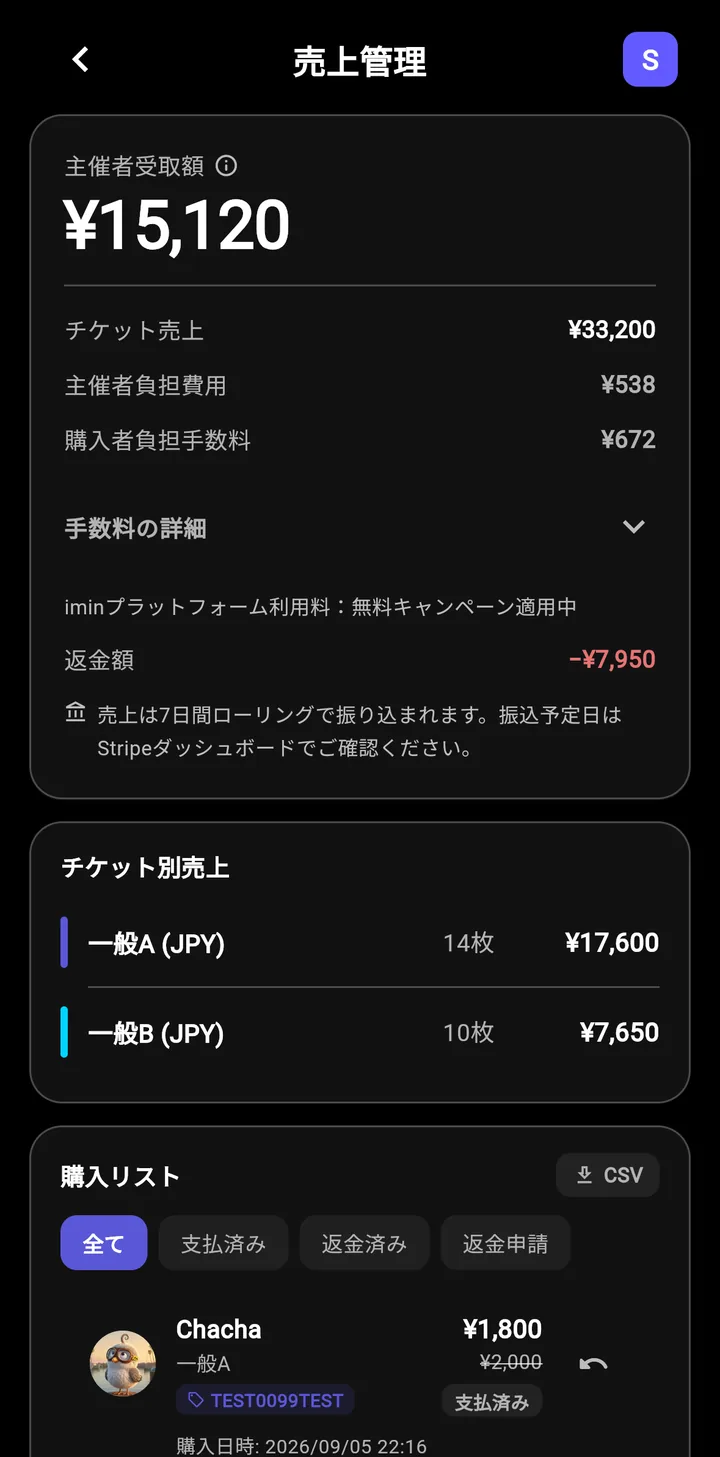

The money arrives before the event
Payouts run 7-day rolling to your account. It is not one settlement after the event, so it arrives in time to pay the venue and the production. The cycle can be changed from the Stripe dashboard.

Qualified invoices, issued automatically
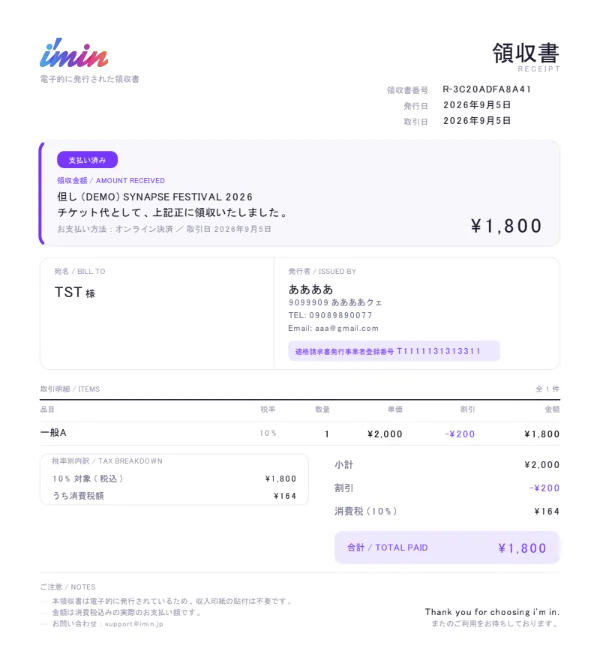
Register your issuer details and invoice registration number, and a qualified invoice PDF is attached to the purchase confirmation automatically. It carries the registration number, the breakdown by tax rate and the consumption tax included, so finance can process it as it arrives. Issued electronically, so no revenue stamp is needed.
Refund handling stops being work
Set a cancellation fee per number of days left before the event and attendees cancel themselves, with the refund calculated for them. Nothing has to be negotiated one message at a time. Cancellation can also be turned off entirely.
Revenue in a dashboard and a CSV
Sales by ticket type, the buyer list and the fee breakdown. Export a CSV with the amount and fee columns and hand it straight to settlement or accounting.
7% in total, and you choose who carries it
A 3% platform fee and a 4% card processing fee (to Stripe) — 7% in total, charged only when a paid ticket sells. For events held in 2026 a campaign brings the platform fee to 0%. You also choose whether the organizer or the buyer carries the fee.
Payouts do not wait for the day
7-day rolling
Any time after sales open
To your account; adjustable in Stripe
You did not have to wait for it
7% in total
Only when a paid ticket sells
You choose who carries the fee
On a ¥3,000 ticket
Organizer pays
Buyer pays ¥3,000 (you keep ¥2,790)
Buyer pays
Buyer pays ¥3,210 (you keep ¥3,000)
The document that actually goes out
Qualified invoice
In other currenciesPrices can be set in US dollars and euros as well as yen. Foreign currency adds a 2.5% conversion fee, and that one is always the organizer’s.
04Operations
Before the day, on the day, after it
The places hosting actually gets stuck are the ones already built for.
A page in ten seconds
Paste an existing announcement URL or image and the AI reads the date, place and description into an event page. Everything stays editable afterwards. Visibility can be public, friends only, unlisted, or community only.

Check-in is a QR code
Staff scan the attendee’s QR code and that is the whole of it. No special hardware.
Three levels of staff access
Hosts handle everything, editors can edit and check people in, door staff can only check people in. People can help on the day without seeing the money.
Collect what you need in advance
Make a pre-event survey required and the QR ticket stays hidden until it is answered. Food allergies, plus-ones — anything you have to know before the day gets collected reliably. Answers are totalled live and export as CSV.
The list prints
Export the attendee list as a PDF. The sort order and the extra columns are yours to pick, so it works as the door list unchanged.
Cancellations, on both sides
Refunds when you cancel the event, and cancellations when an attendee cannot make it, are handled by the platform. You can also allow attendees to transfer tickets between themselves, and the list and the door then show the new holder’s name.
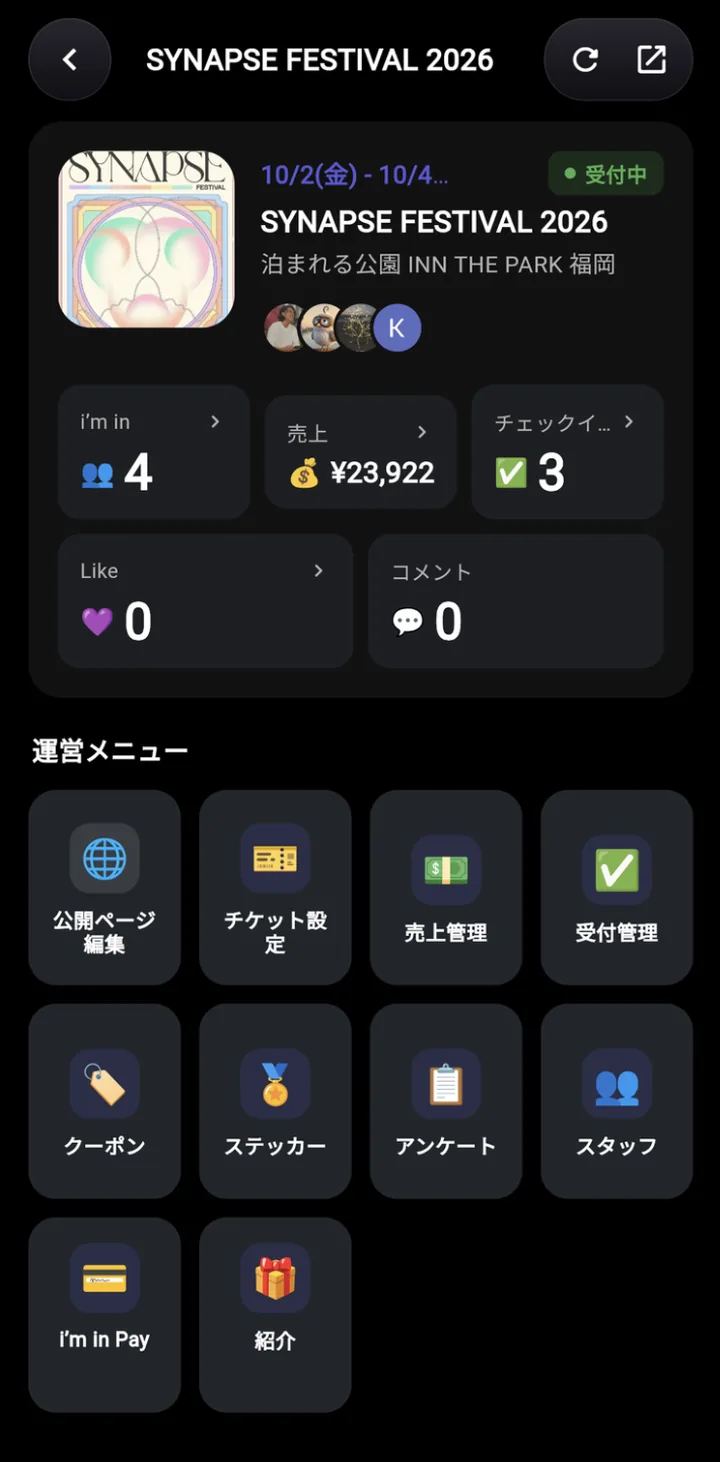
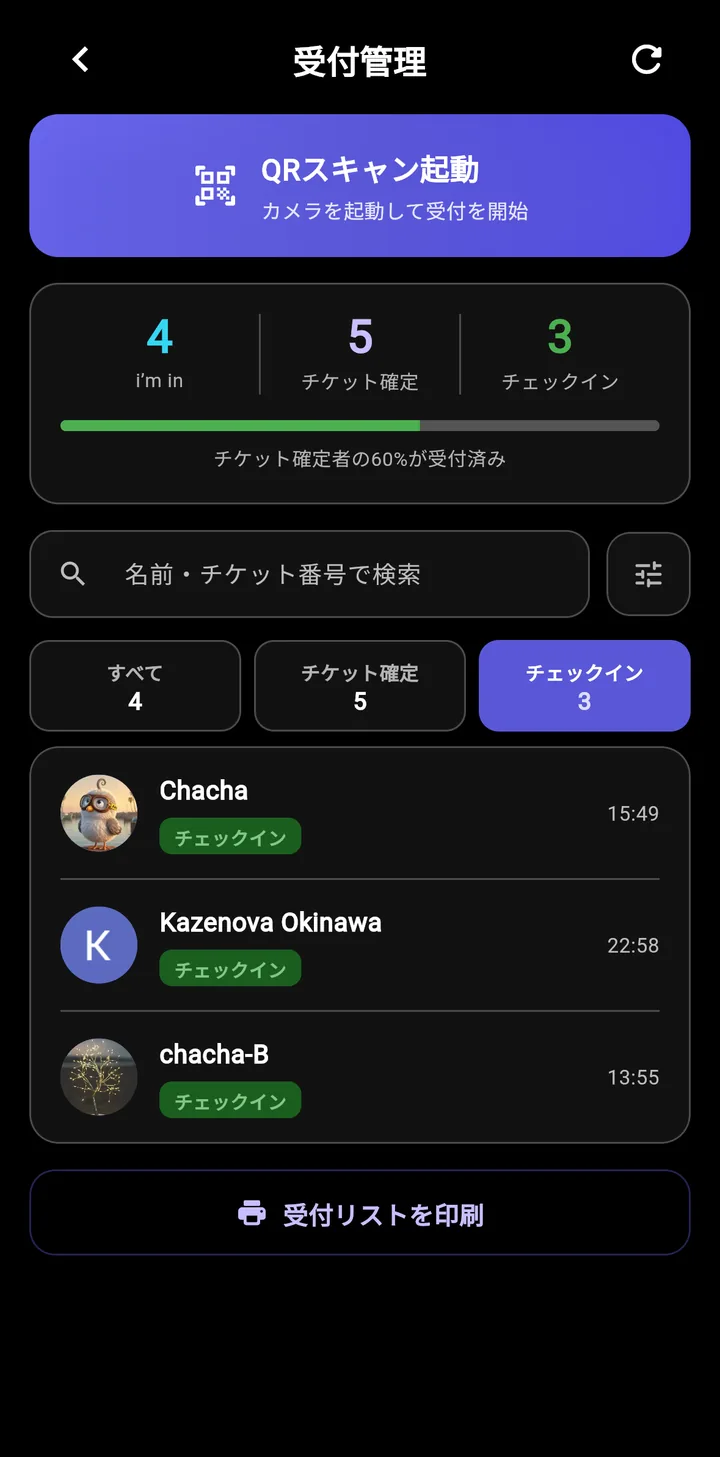
Everything needed before the day, on one screen
Attendee count, revenue and check-ins sit together, and editing the public page through to adding staff all starts here. Check-in shows its progress, so you know what is left on the day.
Four steps at the door
No special hardware
Attendee shows their QR
Staff scan it
Checked in
Attendee list updates
An event page in ten seconds
Paste what you already announced
An existing social post or a flyer image works as it is.
Date, place and description are pulled out and filled in.
Anything it got wrong you can edit by hand. Treat it as a draft.
Three levels of staff access
Help on the day without seeing the money
| Can do | Host | Editor | Door staff |
|---|---|---|---|
| Create and edit the event | Yes | Yes | No |
| See the attendee list | Yes | Yes | Yes |
| Check people in (QR) | Yes | Yes | Yes |
| See revenue and fees | Yes | No | No |
| Refund and cancel | Yes | No | No |
| Add and remove staff | Yes | No | No |
05Coming next
When it gets bigger
We are building for what happens outside ticket sales, too — for festivals and venues, where money moves on site.

i’m in Pay — a wallet inside the venue
A wallet for the event. Attendees top it up in advance or at the door and pay for merchandise and food without cash. Cash handling collapses onto the door, and sales are totalled per shop.
Referral codes and points
A way for attendees to refer their friends, configured per event. A purchase through a code gives the buyer a discount and the referrer points. It puts some of the filling in the attendees’ hands.
Nobody has to carry cash
The intent is topping up at the door and tapping to pay for merchandise and food. Cash handling collapses onto the door, and each shop’s takings are totalled for you.
AvailabilityBoth are in development and are labelled that way in the app’s organizer menu. Ask us directly about timing, or about trying them early.
06Getting started
What it takes to start
Free events cost nothing to run. Stripe only comes into it if you sell paid tickets.
Individuals and small hosts
- Sign in with a Google or Apple account. There is no new password to make.
- To sell paid tickets, connect Stripe. It takes about three minutes.
- Build the event page and publish it.
Companies, local government, venues
- On top of the above, create a community and you get a public page in the organisation’s name. Payments and receipts are set per community.
- Add operators and split the permissions between them. The door can be handed over without showing anyone the money.
- Register your invoice registration number and qualified invoices are issued to attendees automatically.
- When the person in charge changes, an event’s host can be handed to another member.
Where it does not fit
- Events that need assigned or chosen seating. Capacity limits work; picking a seat does not exist.
- Events where you would rather attendees did not make an account. Looking needs no login, but joining and buying do.
In more detail
Feature detail and the actual steps are collected in the help centre.
Let’s talk
Tell us what you are trying to do.
Describe the size and the shape of the event and we will point you at the way to run it.
Talk to us Open 24 hours. We reply within three business days.